 UML Wizard
Draw UML. Generate code.
On any desktop.
UML Wizard is a fast, native UML designer for Windows, macOS and Linux. Model your system in seven diagram types, turn class diagrams into code, import existing code, and let an optional AI assistant help.
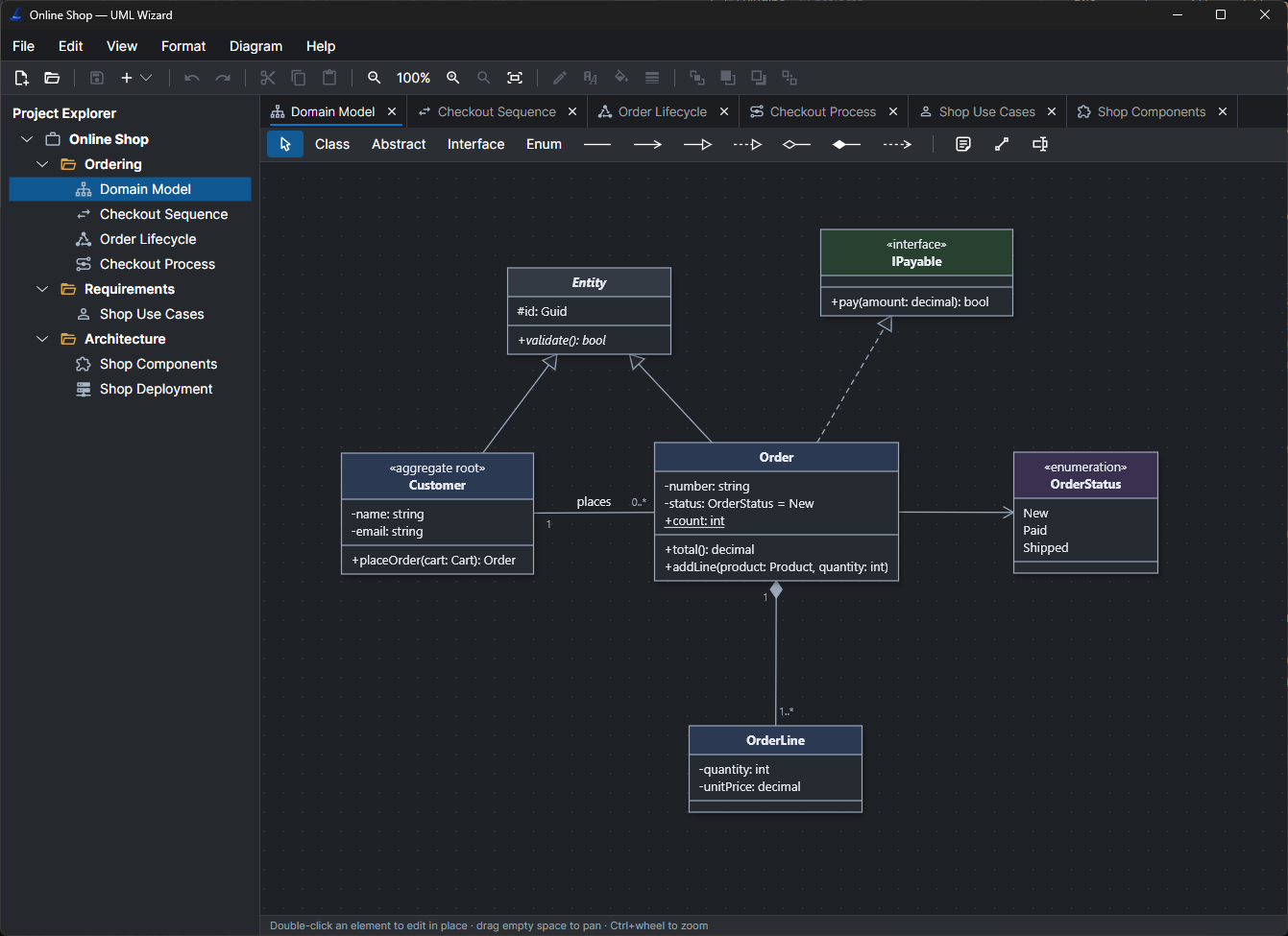
Seven UML diagrams, one project
Organise diagrams in projects and folders, and model structure, behaviour and deployment side by side.
Class
Classes, interfaces, enums and their relationships
Sequence
Lifelines and synchronous, reply and async messages
State machine
States, choices, guards, effects and transitions
Activity
Actions, decisions, merges, forks and joins
Use case
Actors, system boundaries, «include» and «extend»
Component
Components, provided interfaces and dependencies
Deployment
Devices, nodes, execution environments and artifacts
Arrange Diagram
Automatic layout for any diagram, in one click
Everything you need to model software
A focused designer that stays out of your way, and connects your diagrams to the code and tools you already use.
Edit in UML notation
Double-click any element and type +total(): decimal. Undo and redo, clipboard, notes, fonts, colours and line styles.
Generate code
Turn class diagrams into C#, Java, Kotlin, TypeScript, Ruby or C++ source files.
Import code
Point it at a folder of C#, C++, Java, Kotlin, Ruby or TypeScript and get a class diagram back.
PlantUML & OpenAPI
Import and export PlantUML for every diagram type, and OpenAPI for class diagrams.
Optional AI assistant
Describe a diagram and have it drawn, or chat about the open one. Claude, OpenAI-compatible or local models.
Extensible with plug-ins
Every code generation and import language is a plug-in DLL, so you can add your own.
Your class diagram is the source of truth
Design a domain model visually, then generate source files in the language your team uses. Already have code? Import a folder and UML Wizard draws the class diagram for you, ready to arrange and document.
namespace OnlineShop;

public class Order : Entity, IPayable
{
    private string _number;
    private OrderStatus _status = OrderStatus.New;
    public static int Count { get; set; }

    private List<OrderLine> _lines = new();

    public decimal Total()
    {
        throw new NotImplementedException();
    }

    public void AddLine(Product product, int quantity)
    {
        throw new NotImplementedException();
    }
}Sketch with words, refine with a chat
Diagram → Create with AI draws a diagram from a description. View → AI Chat talks about the active diagram and proposes changes, which you apply as a single undoable step.
- Off by default: nothing is sent anywhere until you configure a service.
- Works with Claude, OpenAI-compatible services, or local models through Ollama and LM Studio.
- API keys live in your operating system's credential store.
Payment with -amount: decimal and -date: DateTime,
and a one-to-many association from Order.Apply changes ↵
Cancelled is added to the enumeration in the same proposal.Up and running in a minute
Download
Get the zip for your system from the download page. No installer, no runtime.
Unzip and run
Start UmlWizard (UmlWizard.exe on Windows) from the unzipped folder.
Open a sample
Explore OnlineShop, with every diagram type, or GangOfFour, with one diagram per design pattern.
Start modelling today
Free and open source under the Apache License 2.0.